

As an Amazon Associate we earn from qualifying purchases. If you buy through links on this page we may receive a commission at no extra cost to you. Product details come from Amazon listings and can change.
If you want the best wireless tv headphones, you probably have a familiar problem. The TV is too quiet for you, too loud for everyone else, or the dialogue gets lost under music and effects. A dedicated TV headphone set solves this with a transmitter that plugs into your television and sends sound straight to a headset, so you control your own volume.
This guide covers nine sets built around that idea. Most come with a charging dock, many connect through optical, AUX or RCA cables, and a few add Bluetooth for phones and tablets. We explain what each listing promises, who it suits, and what to check at home before you order, such as which audio ports your TV actually has.
The guide is written for seniors, adult children shopping for a parent, couples with different sleep schedules, and anyone who watches late at night. Prices change often, so we link to live listings instead of quoting numbers. Read the picks, then use the buying guide and FAQ to narrow your choice.
The Avantree HT5009 Plus is our top pick thanks to its Clear Voice mode, aptX Adaptive transmitter and dock charging. The Avantree Opera Plus is the best choice if your TV only offers HDMI ARC, and the pre-paired 65 hour set is a simple, low fuss alternative for everyday viewing.
Key Takeaways
Best Wireless Tv Headphones at a Glance
| Product | Our score | |
|---|---|---|
| 8.6 / 10 | Check Price → | |
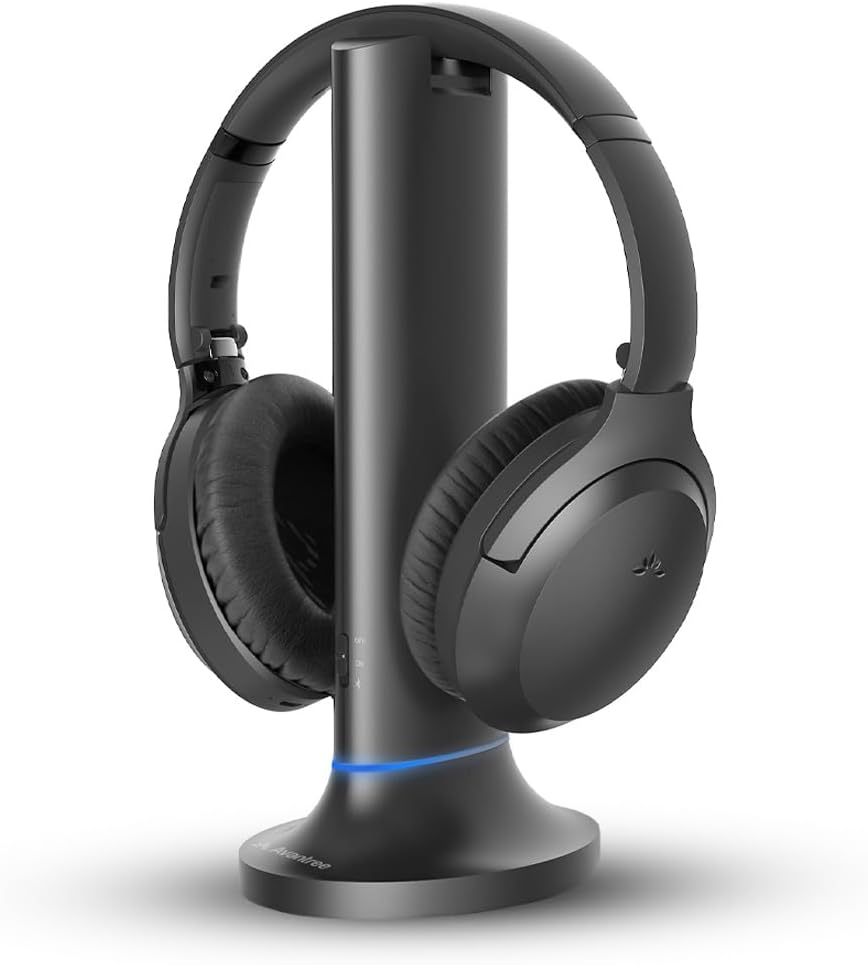
Avantree Opera PlusBest for HDMI ARC TVs
|
8.4 / 10 | Check Price → |

Wireless Headphones for TVBest Pre-Paired Setup
|
8.6 / 10 | Check Price → |
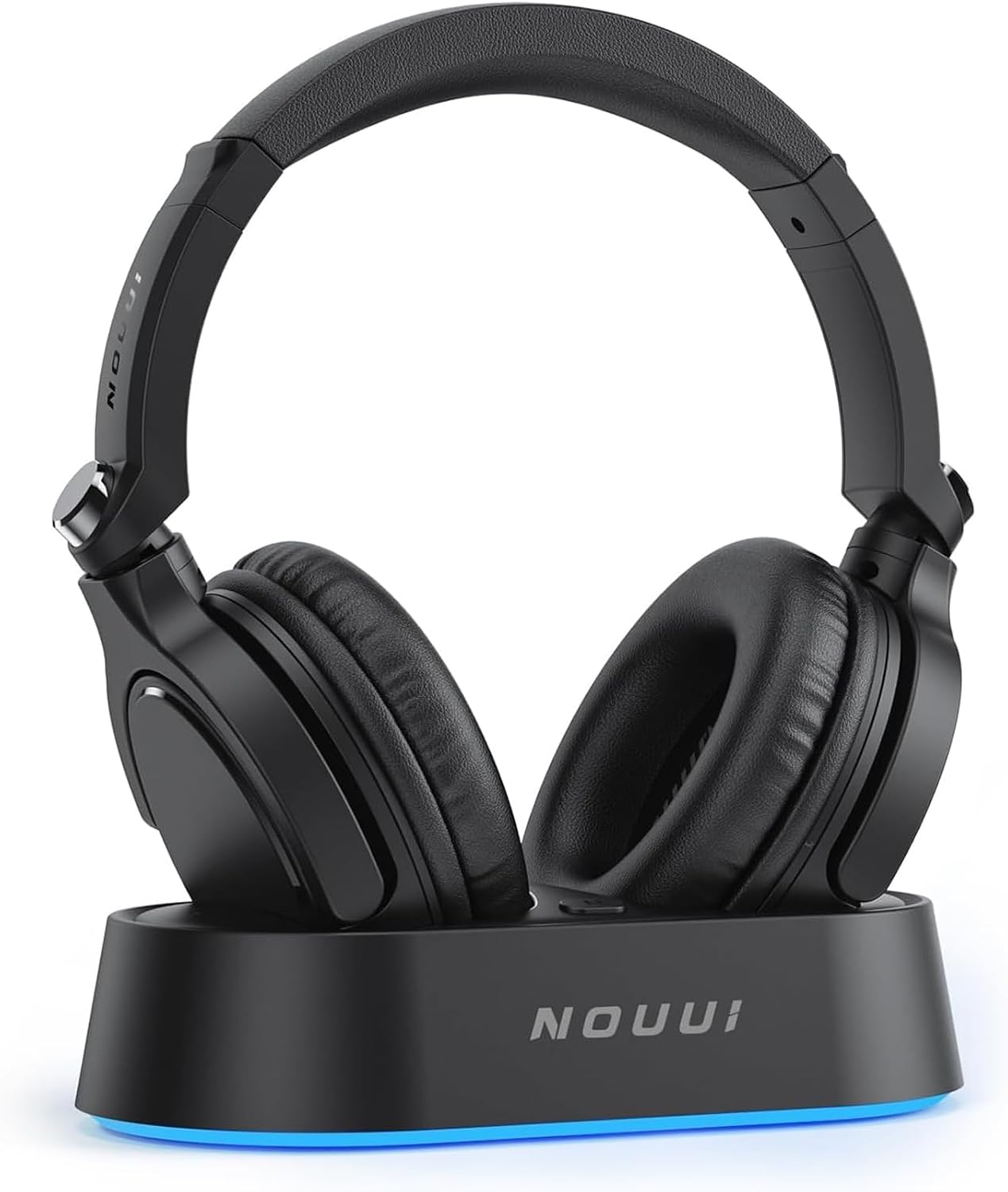
Wireless Headphones for TV WatchingBest Long Battery Life
|
8.6 / 10 | Check Price → |
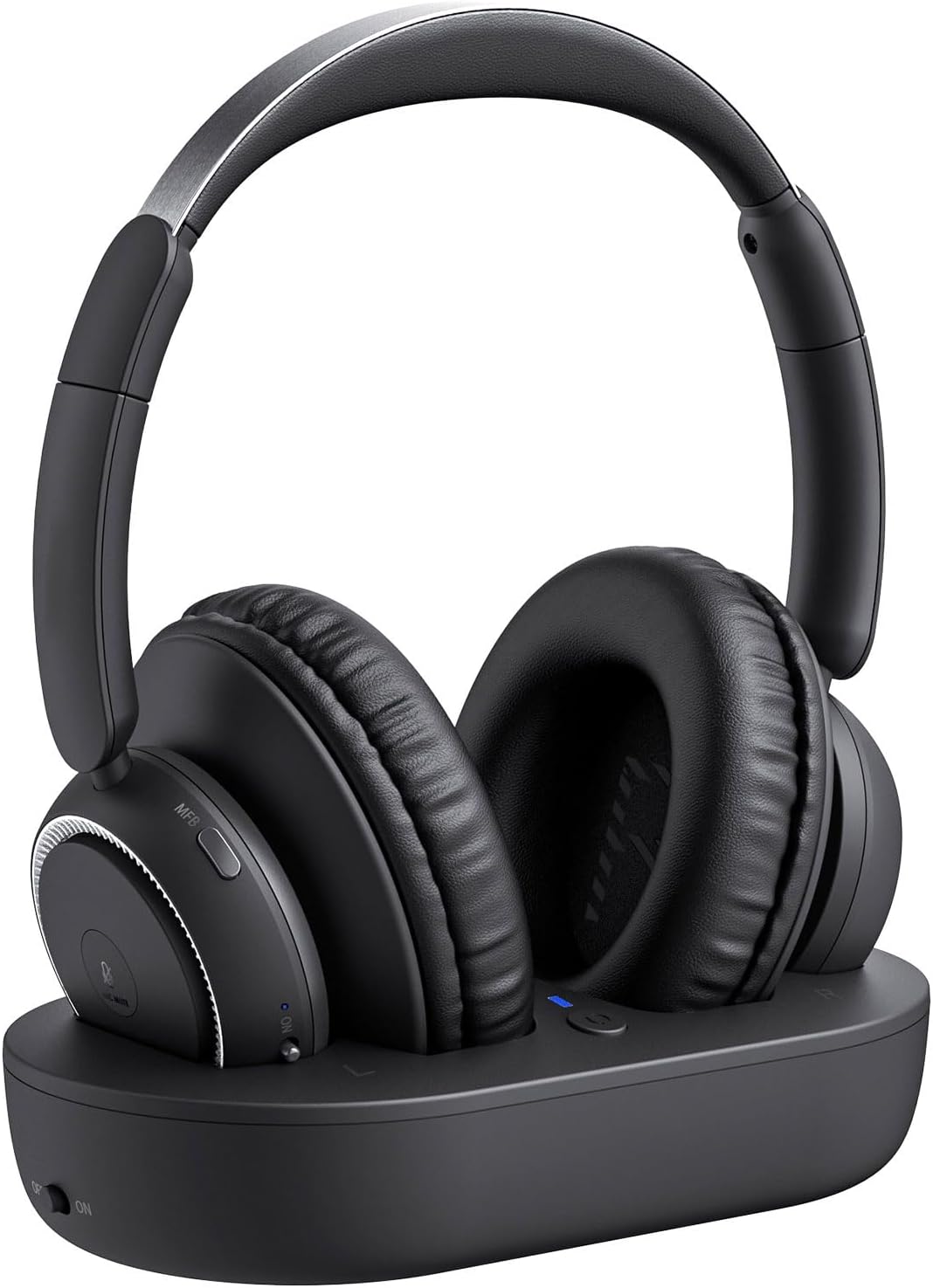
LEVN Wireless Headphones for TV WatchingBest for Comfort
|
8.4 / 10 | Check Price → |

Monster TVlink 300 Wireless TV Headphones with Transmitter BaseBest for Simple Setup
|
9.7 / 10 | Check Price → |

Avantree EnsembleBest for Optical or AUX TVs
|
8.6 / 10 | Check Price → |

Wireless Headphones for TV WatchingBest Quick Charging Dock
|
9.7 / 10 | Check Price → |

Wireless TV Headphones for Seniors with Charging DockBest for Live Sports
|
9.7 / 10 | Check Price → |
How We Chose the Best Wireless Tv Headphones
This is a research based guide, not a lab comparison. We read each listing closely, noting the connection types, latency claims, battery figures, comfort materials, included cables and compatibility warnings, then asked a practical question: will this suit a real living room, bedroom or shared home? Features that were stated clearly in the listing counted for more than vague marketing language.
We weighed dialogue clarity, ease of setup, TV compatibility, battery life, comfort for long sessions, and extra uses such as Bluetooth listening. Duplicate listings of the same model were left out, and products that were not TV headphones were dropped. Each pick carries an editorial score out of 10, shown separately on the page, which reflects how well the listed features match the needs of TV viewers.
In-Depth Reviews
1Avantree HT5009 Plus -Wireless TV Headphones with aptX-Adaptive Transmitter
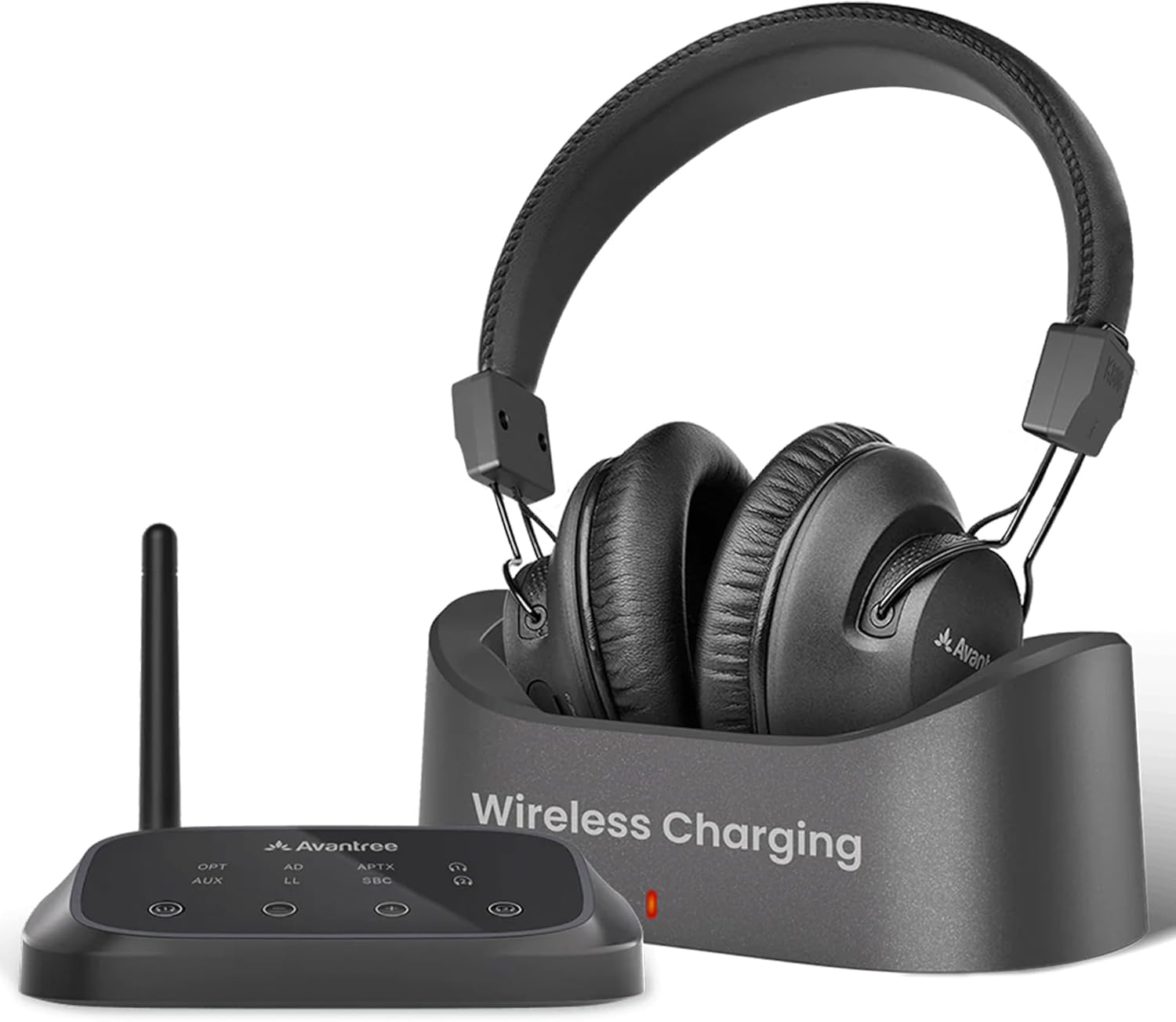
The Avantree HT5009 Plus takes the top spot because it combines the features TV viewers ask for most in one tidy package. The listing describes personal TV watching at your own volume, a Clear Voice mode for dialogue, a charging dock, and up to 60 hours of battery life. It also pairs the over-ear headset with a transmitter that supports aptX Adaptive, a codec family known for keeping lag low. That mix of dialogue help and low lag makes it an easy first recommendation for anyone unsure where to begin.
Clear Voice is the headline feature. According to the listing, it works when the headphones are used with the included transmitter and is meant to make speech easier to follow in shows, news and movies. In general terms, a mode like this lifts the voice range so talk stands out from music and background effects. The dock keeps the headset charged between sessions, which suits anyone who dislikes plugging in cables. Because the voice mode is tied to the included transmitter, it is best thought of as part of a complete kit rather than a loose accessory.
This model suits viewers who want clearer spoken words without turning the volume up for the whole room. Seniors, shared bedrooms and couples who watch at different times are the obvious fit. Because the listing mentions shared spaces, it also works for families with a baby asleep nearby. The over-ear design is aimed at long sessions, so a full film or a sports double header should feel manageable. Gift buyers will also like that the dock gives the headset an obvious home next to the television, so it rarely goes missing.
Check the caveats before buying. The listing states it works with TVs that have Optical or 3.5mm AUX output, and it is not compatible with TVs that only use HDMI ARC. It also says this is a TV headphone system, not a hearing aid, so do not expect hearing aid level amplification. Look at the back of your TV first, and keep the volume at a comfortable level. If you plan to use the headset away from the TV, read the listing carefully, since the voice mode is described for use with the transmitter.
Clear Voice dialogue mode
Dock charging
Long listed battery life
aptX Adaptive transmitter
No HDMI ARC input
Not a hearing aid
2Avantree Opera Plus
The Avantree Opera Plus earns its place by solving a problem many modern TV owners hit: not every new television keeps an optical port. This listing says the transmitter supports HDMI ARC, Optical and AUX audio output, which widens the range of TVs it can connect to. It is designed for viewers who struggle with dialogue on news, dramas and talk shows. It is a thoughtful option for owners who have already given up their optical port to another device.
The feature set goes beyond connection types. The listing mentions an adjustable volume boost for more comfortable TV watching, and the transmitter can pass optical audio through to a soundbar so both can play together. It also states that HDMI soundbar passthrough is not supported, which is a useful detail to read before you plan your setup around a soundbar. Having three output types on one transmitter gives you a fallback if you later change your television or rearrange your cables.
Think of this model as the flexible choice for households with newer sets or busy port layouts. If your television only offers HDMI ARC, or you want a spare route in case the optical port is already taken, this is the set to look at first. The listing also says the headphones work on their own as Bluetooth headphones with phones or tablets when you are away from the TV. It also suits a small family, where the person watching late at night wants quiet while the soundbar stays available for daytime viewing.
There are limits worth knowing. The listing says the volume boost suits seniors but not people with severe hearing loss or those who need hearing aid level amplification. It also asks buyers to confirm that the right port is free before purchase. If an HDMI ARC port is already feeding a soundbar, plan how you will share it, and always keep listening volume moderate. Reading the product page for port diagrams before you buy is time well spent, and a quick look at the TV manual helps too.
Supports HDMI ARC
Optical soundbar passthrough
Adjustable volume boost
Works as Bluetooth headphones
HDMI soundbar passthrough unsupported
Not for hearing aid level needs
3Wireless Headphones for TV
This generic branded set is aimed at people who want to sit down, press power and watch. The listing stresses that the headset and transmitter dock come pre-paired, so there is no hunting through a Bluetooth menu every evening. It is pitched at seniors and anyone who prefers simple daily routines such as morning news and evening shows. That convenience matters most for people who find repeated setup steps frustrating. Simplicity is the main strength.
The listing mentions 40mm drivers for clear voices, a dedicated transmitter for a stable signal, and up to 100 ft of range in open space. Battery life is listed at up to 65 hours, and the headset rests on a charging dock when the show ends. The dock also receives the TV audio, so one small base handles both charging and sending sound. The listing language suggests the designers had everyday living rooms in mind rather than a technical audience.
It suits viewers who move around while watching, such as someone who grabs a drink from the kitchen or folds laundry during a game. The wording around play-by-play and low latency points to sports fans as well. Connection options include Optical, 3.5mm AUX and RCA, so cable boxes and other audio sources are covered too. For a household that watches the same channels at the same time each day, this routine style of use fits naturally.
A few practical notes apply. For Optical, the listing says to choose PCM or Stereo in the TV sound settings, and a wrong setting can leave you without sound. With the base off, the headset can pair directly to a compatible Bluetooth TV, phone or tablet. Range figures are for open space, so walls will shorten the distance in a real home. As with any generic listing, keep your packaging and confirm the return window, so you can swap it if something does not suit your TV.
Pre-paired headset and dock
Auto reconnect each evening
40mm drivers
Cables for several TV ports
Generic brand with limited detail
Range drops through walls
4Wireless Headphones for TV Watching
Battery life is the reason this listing stands out. It advertises up to 65 hours of use on a single charge, which the text describes as enough for a full week of TV watching. The set also comes with a transmitter charging base, an over-ear Bluetooth headset and HiFi stereo claims, all aimed at seniors and gift buyers shopping for parents. That focus on stamina makes it appealing for people who dislike routine charging.
On the technical side, the listing says the headphones use Bluetooth 5.3 and reach latency of less than 40ms. Latency is the delay between picture and sound, so a low figure helps lip movements match speech. Connection options include optical, 3.5mm AUX and RCA to the transmitter, and the headset can also connect through Bluetooth if the TV lacks those ports. The HiFi stereo wording is marketing language, so judge sound quality by comfort and clarity rather than by labels alone.
This is a smart pick for people who forget to charge things. A long battery means fewer interruptions during a movie marathon, and the base keeps the headset topped up between sessions. The listing also points to elderly users and people with limited mobility who would rather not keep adjusting the TV volume, since the headset delivers a steady personal level. Gift buyers who live far from a parent may prefer a set that rarely needs attention and simply works each evening.
Remember that the headline hours depend on volume and use, so real results will vary. If you rely on Bluetooth to a TV directly, the TV itself must support it. The listing compares these headphones with built-in TV speakers, which is fair, but it offers no brand specific driver details. Read the included cable list before buying and keep the volume modest. A good habit is to dock the headset after each show anyway, which keeps the battery topped up without thinking about it.
Up to 65 hours listed
Bluetooth 5.3
Low latency claim
Charging base included
Generic brand details are thin
Battery hours vary with volume
5LEVN Wireless Headphones for TV Watching
LEVN focuses on the physical side of long viewing, and that is why it wins the comfort award. The listing describes earmuffs made from protein leather and breathable cotton, meant to stay comfortable even when worn all day. The set includes a transmitter charging base and is marketed to seniors, hearing-impaired viewers and gift buyers. That attention to materials sets it apart from sets that only talk about specifications. Comfort claims like these are worth noting for long sessions.
Technically, the listing cites Bluetooth 5.2 and latency under 40ms, described as a good match between lip movement and audio for football and other live events. Setup is plug and play: the audio cables go into the transmitter and the TV, then everything powers on without any manual Bluetooth pairing. Battery life is listed as up to 65 hours. It is a tidy answer for homes where the headset is worn for a whole afternoon of sport or a long evening drama.
This model fits anyone who wears headphones for hours at a time, including long film nights, weekend sports and drama binges. The privacy angle matters too: the listing says you can watch a midnight movie without disturbing the family. As a gift for a parent or grandparent, the plug and play approach is easy to explain over the phone. Warm, soft pads also make it a friendly gift, because comfort is something recipients notice on the very first day.
As with all transmitter systems, check your TV ports before ordering, because the cables must match. Protein leather can feel warm in hot rooms, so take breaks if your ears get sticky. The listing offers friendly support language, but you should still verify the return and warranty terms on the live page. Keep volume moderate and supervise use by anyone sensitive to loud sound. If you have a smaller head or wear glasses, try the fit early in the return window, as comfort is personal.
Soft protein leather earmuffs
Breathable cotton
Plug and play setup
Long listed battery
Can feel warm in hot rooms
Needs a matching TV port
6Monster TVlink 300 Wireless TV Headphones with Transmitter Base
Monster TVlink 300 is built around an effortless first day. The listing says you connect the transmitter to your TV with the included optical, AUX or RCA cables, power on, and skip pairing entirely. It is aimed at seniors and first-time users, and it bundles the headset with a transmitter base that doubles as the charging spot. That makes it a sensible pick for anyone who dislikes manuals and menus. Ease of use is the core idea.
The listing quotes Bluetooth 5.3 with under 40ms latency, aimed at action films, sports and games where sound must match the picture. Battery life is listed as up to 45 hours of continuous playback, and the headset recharges automatically when placed on the base. The earcups use soft protein ear cushions with an adjustable headband. The headband adjustment and padded cups aim at a secure fit without heavy clamping around the ears.
This is a good match for households where one person sets things up and others just use it. The foldable over-ear design stores easily for travel or a compact home, which is handy in a studio flat or a shared room. The listing also talks about a private sound zone for watching dramas late at night without disturbing family members. It is also easy to move from one room to another, because the headset folds and the base is a single compact unit.
The 45 hour battery figure is lower than some rivals, though still generous for daily viewing. As always, confirm that your TV offers one of the three supported output types. The brand name on this listing is Monster, so there is clearer ownership than with many generic sets. Check support and warranty details on the live page, and keep your listening volume comfortable. If you want longer endurance, compare it with the 65 hour sets, though most households will not notice the difference day to day.
No pairing needed
Foldable over-ear design
Automatic dock charging
Branded transmitter base
Shorter battery than some rivals
Needs a supported TV output
7Avantree Ensemble
The Avantree Ensemble is a straightforward TV headphone kit for people who just want clearer dialogue. The listing says it is designed for watching TV at your own volume without disturbing others, and it names seniors and shared bedrooms as the target. It is a solid pick when your television has either an optical or a 3.5 mm AUX output. That clear purpose makes the buying decision refreshingly simple. Its listing speaks plainly about purpose.
The listing explains that dialogue sounds clearer when the headphones connect through the included transmitter using an Optical or AUX cable. It describes help with speech clarity for everyday viewing. Easy dock charging is another selling point: place the headphones on the dock after use and they are ready for the next session, which suits non-technical users well. It is aimed at everyday television rather than gaming or music, so expectations should stay modest and practical.
This set suits the viewer whose main complaint is that actors seem to mumble. It also fits a calm household that wants a simple, no app setup. Because the listing is so direct about what it does, shoppers can judge it quickly. It is less about extras like Bluetooth calling and more about a dependable bedside or sofa companion. Elderly relatives often prefer this kind of single purpose gadget, because there are fewer buttons to confuse them.
The listing is frank about limits. Your TV must have Optical (TOSLINK) or 3.5 mm AUX output, HDMI only TVs will not work, and soundbar passthrough is not supported. The TV audio output must also be set correctly: choose Optical and the PCM format, or you may hear nothing. It is not intended for users with severe hearing loss, so treat it as a viewing aid only. Once the settings are right, the setup rarely needs changing, so write the steps down in case the TV is ever reset.
Clear dialogue focus
Dock charging
Simple two cable options
Honest compatibility notes
No HDMI only support
Needs PCM output setting
8Wireless Headphones for TV Watching
This set earns its award for the dock. The listing calls it a 2-in-1 smart charging base that keeps the headphones organised and recharges them automatically when placed on it. Battery life is listed as up to 40 hours of playback, and a two hour quick charge is said to provide enough power for days of daily viewing. That fast top up is a practical safety net for busy households. Fast charging is the main idea.
Connection is simple on paper. The included optical, RCA and 3.5mm AUX cables link the transmitter to the TV, and the headphones pair automatically. The listing quotes latency of under 40ms and a stable range of up to 100ft, or 30m, which suggests you can move between rooms. HiFi stereo language is used for the overall sound, aimed at movies, sports and music. Pairing is automatic according to the listing, which keeps the daily routine short and predictable.
The comfort materials are described as soft protein leather ear cushions, high-density memory foam and an adjustable headband for a lightweight fit. That combination suits seniors and anyone who finds hard pads tiring. It is also marketed as a gift, and the bundled cables mean a recipient can begin straight away without hunting for adapters. The padding also helps reduce pressure on the ears, which matters for people who watch two or three programmes in a row.
The 40 hour figure is the lowest on this list among the dock based sets, though the quick charge helps. The listing mentions seniors and viewers with mild hearing difficulties, but it is not a medical device, so keep expectations realistic. Range figures describe open space, and walls reduce them. Choose a comfortable volume and take breaks during long sessions. Compare it with the longer lasting sets if you rarely dock the headset, and read the cable list to confirm your TV is covered.
Quick charge in two hours
Smart charging base
Memory foam cushions
Three cable types included
Shorter battery than rivals
Range falls through walls
9Wireless TV Headphones for Seniors with Charging Dock
This over-ear set with a charging dock is aimed at clear TV conversations and live action. The listing says it helps seniors and the hearing impaired follow every word without raising the volume, while late-night viewers avoid disturbing anyone’s rest. It earns the sports award because its text puts sync and range first. That makes it a lively pick for football, racing and any broadcast with fast commentary. Sync and range are the main strengths.
The listing quotes less than 40ms latency for synced picture and sound, plus a 100ft (30m) range so you can move between rooms. It also describes a double life: when you are not watching TV, you can pair the headphones with a phone or computer as standard Bluetooth headphones. A single charge is listed at up to 45 hours. The charging dock holds the headset between games, so it is ready when the next match starts.
This one suits fans who pace the room during a match and do not want to miss a commentary line. It also suits households with one person who needs more clarity and others who want quiet. Connection choices include optical, AUX and RCA cables, and Bluetooth is available if the TV supports it, so it covers most living rooms. A shared household benefits too, since one person can enjoy the full sound while everyone else keeps the room calm.
The listing describes soft breathable earcups and a lightweight frame to cut pressure over long viewing sessions. As a caution, it is a TV headphone, not a hearing aid, and results depend on your TV settings. Bluetooth direct connection only works if the TV has Bluetooth built in. Start at a low volume first, and keep it at a safe level. If your TV has no usable ports at all, check the Bluetooth route carefully, because the listing says the TV must support it.
Low latency claim
Long range
Doubles as Bluetooth headphones
Dock charging
Bluetooth needs TV support
Generic listing details
How to Choose the Best Wireless Tv Headphones
How wireless TV headphones work
Most TV headphone kits have two parts: a transmitter and a headset. The transmitter plugs into an audio output on your television, then sends the sound to the headset over a wireless link. Many modern sets use Bluetooth based technology, while older designs used radio or infrared. Because the transmitter is a dedicated device, the connection is usually steadier than pairing a normal headset to a TV menu.
The transmitter often doubles as a charging dock, which keeps things tidy. You finish a show, rest the headset on the base and it charges until the next session. Some listings also let you use the headset on its own with a phone or tablet. That flexibility is useful, but the transmitter is what makes the TV experience smooth, so it matters more than the headset alone.
Check your TV ports first
The most common reason for a bad purchase is a port mismatch. Look at the back or side of your television for Optical (often labelled TOSLINK or Digital Audio Out), a 3.5mm headphone or AUX jack, red and white RCA outputs, or an HDMI ARC connector. Several listings in this guide warn that HDMI only TVs will not work, so a two minute check can save you a return.
If your TV has only HDMI ARC, look at models that list that input, such as the Avantree Opera Plus. If the optical port already feeds a soundbar, check whether the transmitter offers passthrough. Also open the TV sound menu and note where the audio format can be changed. Optical output usually needs PCM or Stereo selected, otherwise some sets may stay silent.
Understanding latency and lip sync
Latency is the small delay between the picture and the sound arriving in your ears. If it is too high, voices seem to trail the speaker’s lips, which is annoying during sports and dialogue heavy drama. Many listings here quote under 40ms, a figure intended to keep sound and picture feeling aligned. Dedicated transmitters are designed with this in mind, unlike generic Bluetooth connections.
Codec support also matters in general terms. Standard Bluetooth can add noticeable delay, while low latency codecs such as aptX Low Latency or aptX Adaptive aim to reduce it. Your phone does not change how a transmitter works with the TV, so the specification mainly depends on the kit itself. If you notice a slight mismatch, some TVs have an audio sync setting you can adjust.
Dialogue clarity and voice modes
Many shoppers buy TV headphones because speech is hard to follow through thin built-in speakers. Modern TVs are slim, so there is little room for large drivers, and mixes often place effects and music above voices. A headset sits close to your ears, so even a modest driver can make speech easier to hear at a lower overall volume than room speakers need.
Some kits add a voice mode, like the Clear Voice feature on the Avantree HT5009 Plus, or a volume boost, as on the Avantree Opera Plus. These help with dialogue but are not hearing aids, and several listings say so directly. If you have difficulty hearing, speak with a hearing professional, and treat TV headphones as a comfort tool for everyday viewing.
Battery life and charging docks
Listed battery life in this guide ranges from about 40 to 65 hours. Those numbers are claims for ideal conditions, and real results shift with volume and connection type. Even the shortest figure should cover many days of normal use. The more important factor is routine, because a headset that lives on its dock is always charged when you sit down.
Docks come in two styles. Some transmitters double as the charging base, and others rely on a cable. Quick charge claims, like the two hour figure on one set here, are useful if you forget to dock the headset. If you share a headset in a household, keep the dock near the TV where it is easy to find, and charge fully before long viewing days.
Comfort, weight and ear pads
Over-ear designs spread pressure around the ear rather than pinching it, which helps during a two hour film. Look for adjustable headbands, soft cushions and light frames. Protein leather is a common pad covering and is soft and easy to wipe, though it can feel warm in a hot room. Memory foam underneath helps the pad shape itself around your ears. Soft cushions also make a real difference during long sessions.
If you wear glasses, check that the pads are soft enough not to press the frames into your head. If you have a small or large head, look at how far the band extends. Foldable designs, like the Monster TVlink 300, store neatly on a shelf. Take regular breaks, and lower the volume if your ears feel tired. A secure but gentle fit keeps the headset steady when you shift on the sofa.
Range and moving around the house
Several listings quote a range of about 100 feet, or 30 metres, for open space. That figure is measured without obstacles, so walls, floors and large appliances will shorten it. In a typical home you can usually expect good coverage in the same room and the next room, with a drop in signal at longer distances or through thick walls. Small changes in placement can improve things noticeably.
For the best signal, place the transmitter in a clear spot rather than inside a closed cabinet. Keep it away from metal shelves, routers and microwaves where possible. If the sound drops out when you walk to the kitchen, try raising the transmitter or moving it slightly. Range is a nice extra, but most people watch from the sofa. Treat the quoted figure as a best case and plan for a shorter range.
Private listening for shared homes
Private listening is the main selling point of this category. One person can enjoy a late film while a partner sleeps, or a grandparent can follow the news without the TV blasting through the house. Because the transmitter sends sound only to the headset, the TV speakers can be muted or lowered while the headphones play at their own level. It keeps evenings peaceful for everyone under the same roof.
Some households even buy two headsets for different listening levels. Check whether the transmitter can connect to more than one headset at a time, because the listings in this guide do not all say. A single headset is enough for most users, and a spare is only worthwhile if the listing clearly says the base supports it. Always read the product page before assuming a second headset can join.
Bluetooth mode and everyday use
Several sets can also work as ordinary Bluetooth headphones. With the base off, some listings say the headset can pair with a compatible TV, phone or tablet. That adds value if you want to watch a video on a tablet in bed or listen to a podcast on a walk. Remember that TV headphones are designed mainly for sitting at home.
Direct Bluetooth to a TV depends on the TV having Bluetooth built in, and some TVs add delay on that path. The transmitter route is steadier. If you plan to use the headset away from the TV often, look for listings that mention a phone or computer connection, and check whether a built-in microphone is listed before relying on calls.
Safe listening habits
Headphones put sound close to your ears, so volume matters. Start low and raise the level slowly until speech is comfortable, rather than setting a high level from the start. If others can hear your headphones from across the room, or your ears feel tired afterwards, turn it down. Take short breaks during long viewing sessions to rest your ears. Comfortable volume protects your ears over the long term.
Do not treat TV headphones as medical devices. Listings in this guide make it clear that they improve TV sound but are not hearing aids. If you or a family member has trouble hearing even with the headphones turned up, book a visit with a hearing professional. Supervise children and keep the volume moderate for everyone. Good habits matter more than any feature on a spec sheet.
Gifting TV headphones to parents
These sets are popular gifts for parents and grandparents because they solve a daily irritation. Choose a model with a plain, plug and play setup, a clear dock and cables included. Pre-paired kits, like the 65 hour set in this guide, remove the need for Bluetooth menus. Check the TV ports in advance by looking at a photo of the back panel. A little preparation makes the gift feel effortless.
Offer to do the first setup, and write down the TV audio settings that were changed. Show how to place the headset on the dock, and which light shows charging. A short walk through at the TV saves repeated phone calls. If your relative uses a hearing aid, ask them whether the headphones are comfortable with it before gifting. Patience during the first week usually pays off.
Common setup problems and fixes
No sound is the most frequent complaint, and it is usually a TV setting. For optical connections, change the audio format to PCM or Stereo, and make sure the TV is sending sound to the optical port rather than its own speakers. Check that the cable clicks into place and that the transmitter has power. Try another input type if your TV offers one.
If the headset will not connect, power both devices off and on again, then place the headset near the transmitter. If a pre-paired kit loses its pairing, follow the instructions in the box to re-pair it. For crackling or drop outs, move the transmitter, remove obstacles and check the headset battery. Read the manual for your specific model, because buttons and lights differ.
Frequently Asked Questions
What are the best wireless TV headphones for seniors?
Look for plug and play setup, a charging dock, clear dialogue features and soft ear pads. The Avantree HT5009 Plus and the pre-paired 65 hour set both suit seniors well. Neither is a hearing aid, so check the listing and keep the volume comfortable.
Do wireless TV headphones work with any TV?
Not always. They need an audio output on the TV such as Optical, AUX, RCA or HDMI ARC, depending on the model. Several listings warn that HDMI only TVs will not work, so check the back panel before buying.
What does low latency mean for TV headphones?
Latency is the delay between picture and sound. A low figure, such as the under 40ms claimed on many listings here, helps voices match lip movement. This matters most for sports, action films and fast dialogue.
Can I use these headphones with my phone too?
Several listings say the headset can work as ordinary Bluetooth headphones with a phone, tablet or computer when the base is not in use. Check each listing, since not every model describes this feature or a microphone.
Are TV headphones the same as hearing aids?
No. The listings are clear that these are TV headphone systems that can make dialogue easier to follow, not medical devices. If you have trouble hearing, speak to a hearing professional for advice.
How long does the battery last on TV headphones?
Listed figures in this guide run from about 40 to 65 hours per charge. Real use varies with volume and connection type. Most sets recharge on a dock, so the headset is ready for the next viewing session.
What should I set on my TV for optical output?
Choose Optical as the sound output and set the audio format to PCM or Stereo, as several listings advise. A wrong setting can cause silence. Check the TV menu under sound or audio output settings.
Can two people use one transmitter?
Some transmitters may support more than one headset, but many listings in this guide do not say so. If you need two headsets, look for a clear statement on the product page before ordering a second one.
Will these headphones work with a soundbar?
It depends on the model. The Avantree Opera Plus lists optical soundbar passthrough, while other Avantree listings say soundbar passthrough is not supported. Read the compatibility notes, and check which port your soundbar uses.
How loud is safe when using TV headphones?
Start with a low volume and raise it slowly until speech is comfortable. If others can hear the sound or your ears feel tired, turn it down. Take regular breaks, and supervise children using headphones.
The Bottom Line
The best wireless tv headphones are the ones that match your TV ports, your household routine and your comfort needs. For most people the Avantree HT5009 Plus is the most complete choice, with Clear Voice, a dock and a long listed battery life. If your TV only has HDMI ARC, the Avantree Opera Plus is the one to open first.
Whichever set you choose, confirm the connection type on the live listing, since prices and stock change often. Keep the volume comfortable, charge the headset on its dock, and enjoy quieter evenings with clearer dialogue.
Updated for the 2027 buying season. Amazon listings and availability change often, so check the product page for current details.

Write Your Review
No reviews yet. Be the first to share your experience!