

As an Amazon Associate we earn from qualifying purchases. If you buy through links on this page we may receive a commission at no extra cost to you. Product details come from Amazon listings and can change.
Choosing the best microphones for streaming comes down to your room, your computer and how much setup you are willing to do. A headset mic works for quick chats, but a dedicated microphone makes your voice clearer, steadier and easier to listen to for long sessions. This guide covers ten picks, from plug and play USB models to a classic XLR studio mic. We also explain pickup patterns, connection types and placement so that you can choose with confidence.
It is written for gamers, new streamers, podcasters, students and creators who want better audio without wasting money. Each entry explains what the listing says, how the features work in plain language and who the microphone suits. Prices change often, so we link to live listings instead of quoting numbers. Check the current offer, stock and bundle contents before you buy. Whether you stream games, talk with an audience or record podcasts, you will find a match, and the buying tips in the sections below explain how each feature affects real use at your desk.
The Shure MV7+ is our top pick because it offers USB-C for easy streaming and XLR for a future studio setup. The Elgato Wave:3 MK.2 is great for voice processing, and the HyperX QuadCast 2 S adds four patterns and bright lighting. Beginners should look at the Shure MV6 Gen 2, while the Amazon Basics mic keeps things simple.
Key Takeaways
Best Microphones For Streaming at a Glance
| Product | Our score | |
|---|---|---|
| 9.4 / 10 | Check Price → | |

Elgato Wave:3 MK.2 USB Condenser MicrophoneBest for Voice Processing
|
9.4 / 10 | Check Price → |

HyperX QuadCast 2 SBest for RGB Style
|
9.2 / 10 | Check Price → |

Shure MV6 USB Microphone for GamingBest for Beginners
|
9.0 / 10 | Check Price → |
Shure SM7B Dynamic Vocal Microphone for Podcasting & StreamingBest for Studio Sound
|
9.6 / 10 | Check Price → |

Logitech Creators Blue Yeti USB Microphone for PCBest for Flexibility
|
9.2 / 10 | Check Price → |
TONOR Gaming Microphone Set with Boom ArmBest Complete Kit
|
9.0 / 10 | Check Price → |

ZealSound Podcast Microphone for PCBest for Phones and Consoles
|
8.8 / 10 | Check Price → |

Amazon Basics Condenser Microphone for PCBest Value Basic
|
8.8 / 10 | Check Price → |
HyperX QuadCast 2Best for Console Streaming
|
9.2 / 10 | Check Price → |
How We Chose the Best Microphones For Streaming
This is a research based guide, not a lab comparison. We read each product title, feature list and specification in the listing, then judged how well it fits streaming. We looked at connection type, pickup pattern, controls for muting and monitoring, bundled accessories and the kind of creator each model is aimed at.
We kept only one listing per model, so color variants and duplicate pages are left out. Each pick has an editorial score out of 10 shown on the page, based on fit for streaming, features described, flexibility and value for the type of buyer. Where a fact is missing from the listing, we speak in general terms instead of guessing.
In-Depth Reviews
1Shure MV7+ USB-C & XLR Podcast Dynamic Microphone

The Shure MV7+ takes the top spot because it solves two problems at once. It is a dynamic podcast microphone that plugs straight into a computer over USB-C, yet it also has an XLR output for a mixer or audio interface later. A streamer can start simple and grow the setup without replacing the mic. That flexibility, plus on-board processing, is why this model leads the guide. Its mix of ease and depth gives it a wider reach than most competitors in the roundup.
The listing highlights a full-color LED touch panel with real-time level monitoring and tap-to-mute control. Auto Level Mode adjusts gain based on distance and volume, and a real-time denoiser reduces background noise. Built-in reverb modes named Plate, Hall and Studio are also mentioned, which can add polish to voiceovers. A dynamic capsule generally picks up less room sound than a condenser, which suits untreated rooms. That mix of a color touch panel and processing keeps the controls close to hand during a busy broadcast, which cuts down on menu digging.
This microphone fits creators who want one tool for streams, video calls, on-camera podcasts and voiceover. The dual output design helps people who plan to buy an interface eventually, because the same mic then moves into a more traditional studio chain. Gamers who stream from a bedroom will like that the touch panel shows when they are muted, so they never talk to an empty channel by mistake. Hybrid creators who switch between laptop work and a studio desk will value being able to move the same mic between both.
Keep in mind that a dynamic microphone works best when it sits fairly close to your mouth, so plan for a boom arm or a solid stand. Auto Level can be handy, but listen once with headphones to confirm it feels natural for your voice. If you use XLR, you will need a compatible interface or mixer, and a pop filter habit is still wise. Treat the built-in effects as seasoning rather than the main course, and keep volume modest when listening back.
USB-C and XLR outputs
Auto Level and denoiser
Clear LED level display
Suits untreated rooms
Needs close mic placement
Costs more than basic USB mics
2Elgato Wave:3 MK.2 USB Condenser Microphone
The Elgato Wave:3 MK.2 is a USB condenser microphone built around a cardioid capsule, and it targets streamers who want polished vocals with little fuss. It connects over USB-C to a PC or Mac. What sets it apart in this group is the focus on protection and processing, which is why it earns the award for voice processing. Its design leans toward people who value clean, consistent audio with little manual tuning.
According to the listing, Clipguard 2.0 uses multi-stage protection so that clipping is virtually impossible, and Auto Gain sets levels in seconds. Onboard effects include a voice enhancer, compressor and EQ, and the Wave FX Processor combines DSP effects with VST plugins in one chain. A multifunction dial, tap-to-mute and LED feedback sit on the body, with a headphone jack for direct monitoring. Because everything lives in one signal chain, the same settings can follow you between streams, calls and recordings.
This mic is a good match for streamers who get loud when a game gets exciting. Sudden shouts can ruin a recording, and anti-distortion tools are meant to prevent that. It also suits creators who like to shape their sound in software rather than buy extra hardware. The Wave Link app handles routing, effects and monitoring in one place for those who run music, chat and game audio together. Casual users who dislike software menus may find the extras more than they need, though the defaults are meant to help.
As with any condenser, a quiet room gives the cleanest result because the capsule can hear fans and keyboards. A boom arm and pop filter are sensible add-ons. The listing mentions PC and Mac, so console players should check compatibility before buying. Spend a little time with the app to learn the effects, since too much processing can make a voice sound thin. Pairing it with closed headphones also keeps your monitoring from leaking back into the capsule.
Anti-distortion system
Voice enhancer, compressor, EQ
Dial and tap-to-mute
Headphone jack for monitoring
Condenser hears room noise
Listing names PC and Mac only
3HyperX QuadCast 2 S
The HyperX QuadCast 2 S is the pick for streamers who want a mic that looks as good on camera as it sounds. The listing describes it as a USB gaming microphone with RGB lighting for streaming and podcasting. It combines flexible pickup options with a show-ready look, which is why it wins the style award here. In short, it blends a creator friendly control layout with a bold visual identity.
Lighting comes from more than 100 individually customizable aRGB LEDs with over 16 million color options. A tap-to-mute sensor handles quick muting, while a multifunction knob adjusts gain, headphone volume, monitor mix and polar pattern. Four selectable patterns are listed: cardioid, omnidirectional, bi-directional and stereo. The pre-attached shock mount detaches with spring-loaded pins and fits both 3/8 and 5/8 inch threading. The multifunction knob keeps those adjustments on the desk, so you rarely need to alt tab out of a game to change levels.
Solo streamers can stay on cardioid to focus on one voice. Two people sharing a desk could try bi-directional, and an omnidirectional pattern can capture a whole room for a casual chat. The thread compatibility makes it easy to move the mic from the supplied mount to a boom arm. The lighting suits creators who care about desk aesthetics and want the mic visible in frame. Podcast hosts with a guest can also benefit, because switching patterns takes seconds and needs no extra hardware.
Wider patterns pick up more of the room, so use them only in a quiet space. The listing names PC and Mac, so check console support if you play on a PlayStation. Lighting is a fun extra, but it will not improve the sound itself. A pop filter and a consistent speaking distance still matter more than any feature on the box. Treat the lighting brightness as a matter of taste, and dim it if it reflects in glasses or a screen.
Four selectable patterns
Big aRGB light display
Easy to detach shock mount
Knob for gain and monitor mix
Lighting adds nothing to sound
Wide patterns need a quiet room
4Shure MV6 USB Microphone for Gaming
The Shure MV6 Gen 2 is written for first-time streamers who want professional audio without a steep learning curve. It is a dynamic USB microphone that arrives with a desktop stand and a USB-C cable, so a new creator has what they need to get going. That ready-to-use approach earns it the beginner award in this guide. In other words, it aims to remove the guesswork that often frustrates new creators.
Per the listing, Voice Isolation Technology focuses on your voice, an adjustable real-time denoiser reduces room noise and Digital Popper Stopper tames harsh plosives. Auto Level Mode is adjustable so you can set the gain response, and a 5-band EQ lets you shape tone for games. The MOTIV desktop and mobile apps unlock extra control over the sound. Together these tools create a stream ready voice sound with less manual work than a plain microphone would demand.
Anyone upgrading from a headset mic is the obvious audience. A dynamic capsule paired with processing can make a typical bedroom setup sound much cleaner than a headset boom. The color-matched Black or White options also appeal to people who plan their desk look. It suits gaming chat, short streams, voice calls and simple recording. Families sharing one desk may also like that the same mic works for homework calls and weekend game nights.
Because processing happens in the mic and app, spend a few minutes learning the settings instead of leaving everything on default. Dynamic microphones like a close, steady distance, so keep it near your mouth. The Gen 2 name matters, since the Gen 1 version is a separate listing. Use a boom arm if desk bumps travel through the stand. Finally, remember that software updates and app features can change, so check the product page for current details.
Stand and USB-C cable included
Voice Isolation Technology
Adjustable denoiser
Black or White options
USB only, no XLR mentioned
Needs close speaking distance
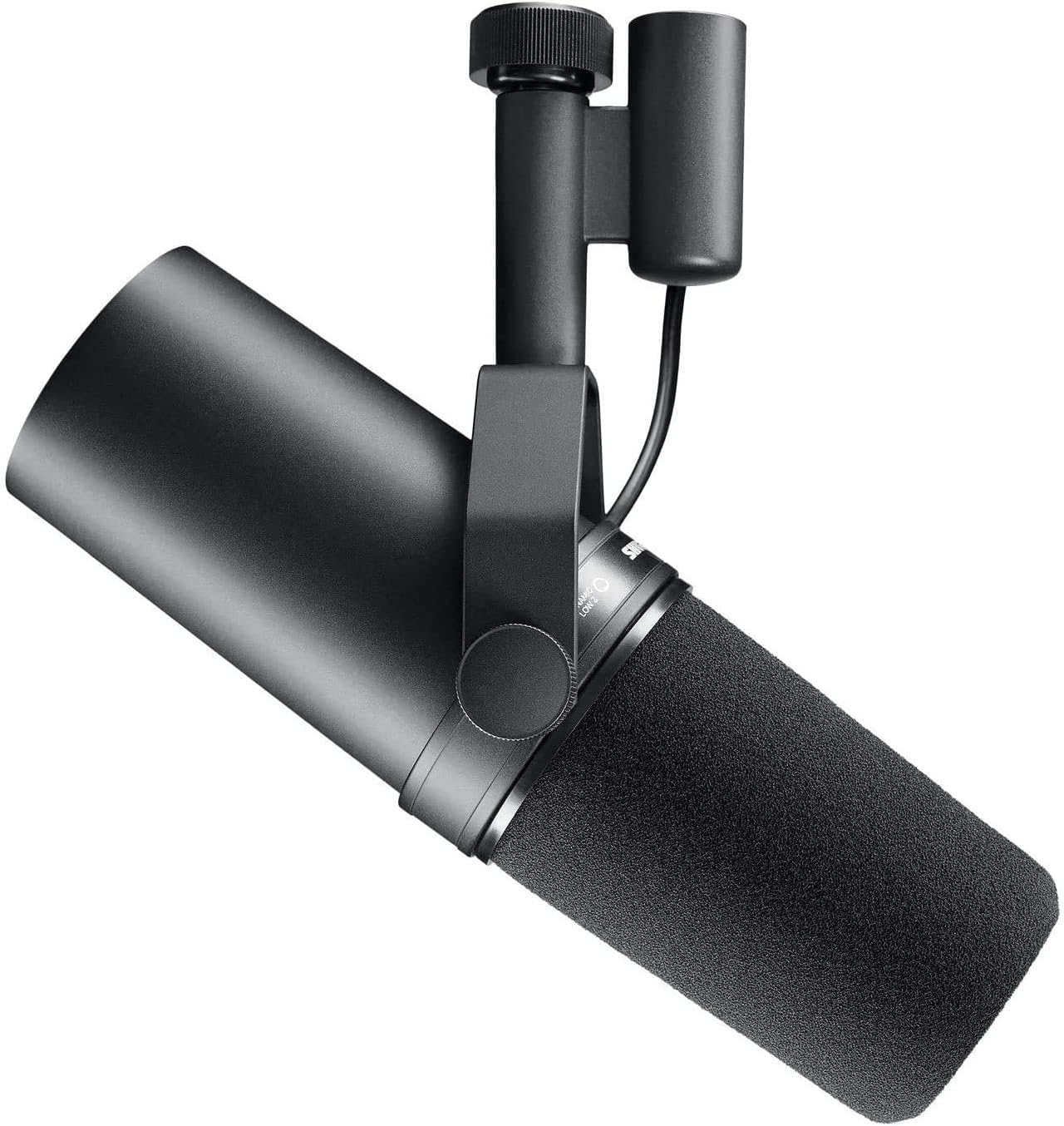
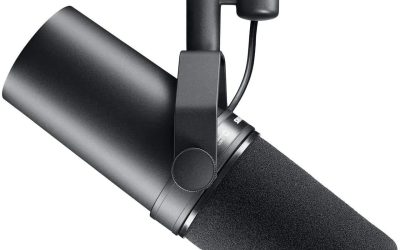
5Shure SM7B Dynamic Vocal Microphone for Podcasting & Streaming
The Shure SM7B is a long-established dynamic vocal microphone, and the listing positions it for podcasting and streaming. It is the choice for creators who care most about a warm, controlled voice and are ready to build a proper audio chain. That studio focus earns it the studio sound award, though it asks more of the buyer than the USB models. It remains a reference point that many other microphones in this class are compared against.
The description mentions a dynamic cartridge with wide-range frequency response, a cardioid pattern and air suspension shock isolation that limits vibration and room interference. Built-in pop filtering and a detachable windscreen reduce plosives and breath noise. The output is XLR, so it connects to an audio interface or mixer, and electromagnetic shielding is listed to help prevent hum. These design choices focus on keeping the voice clean at the source, so less correction is needed later in editing or mixing.
This microphone fits podcasters, voiceover artists and streamers who want to shape their tone with an interface and preamp. Singers and musicians also appear in the listing as users. Because it is a dynamic mic, it tends to ignore distant sounds, which helps in rooms that are not treated. Rugged all-metal construction suits a desk that gets used every day. Serious hobbyists who enjoy tweaking tone will appreciate how much control the XLR chain provides.
There is no USB plug, so budget for an interface or mixer and an XLR cable. Dynamic microphones usually need a strong, clean preamp gain, so check what your interface can supply. A boom arm is almost essential given the mic body. Beginners who only want to plug in and talk may prefer a USB model from this list instead. Plan the whole chain, including cables and a stand, before you commit, so the total fits what you actually want to spend.
Warm broadcast vocal tone
Built-in pop filtering
Shielded against hum
Rugged metal build
Needs interface or mixer
Setup is harder for beginners
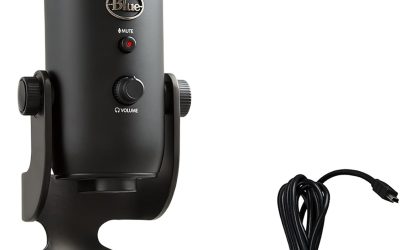
6Logitech Creators Blue Yeti USB Microphone for PC
The Logitech Creators Blue Yeti is a USB condenser microphone that has been a familiar sight on streaming desks for years. It stays on the list because of its pickup flexibility. The listing describes a custom three-capsule array and four patterns, which makes it useful for more than one person or one purpose. That blend of options is the reason it remains a common recommendation for mixed use, from streams to interviews and music ideas.
Patterns include cardioid, omni, bidirectional and stereo. Onboard controls cover headphone volume, pattern selection, instant mute and mic gain, and the listing mentions no-latency monitoring so you can hear yourself as you speak. Blue VO!CE software adds broadcast vocal effects, advanced modulation and HD audio samples. The adjustable desktop stand lets you pivot the mic toward the sound source. The result is a mic that can handle a solo gaming session on Monday and a guest interview on Tuesday.
Streamers who also podcast, interview guests or record music will appreciate the pattern choices. The plug and play design works on Mac or PC without extra hardware, and the mic can move to a boom arm or stand when the desk gets crowded. The Blackout finish suits dark setups. It is a good first step for creators who expect their projects to change. Parents and kids can share it for school projects, and musicians can use it for quick demo ideas.
A condenser with several patterns will hear room noise if you leave it on a wide setting, so use cardioid for solo streaming. The mic is fairly large, which matters on a small desk. Placing it on the included stand near a loud keyboard can pick up vibration, so consider a boom arm. Learn the gain dial first, because too much gain causes harsh peaks. Keep the headphone volume sensible so you can monitor yourself without needing loud levels.
Four pickup patterns
Mute and gain on the body
No-latency monitoring
Works with stand or boom arm
Large body for small desks
Picks up room noise on wide patterns
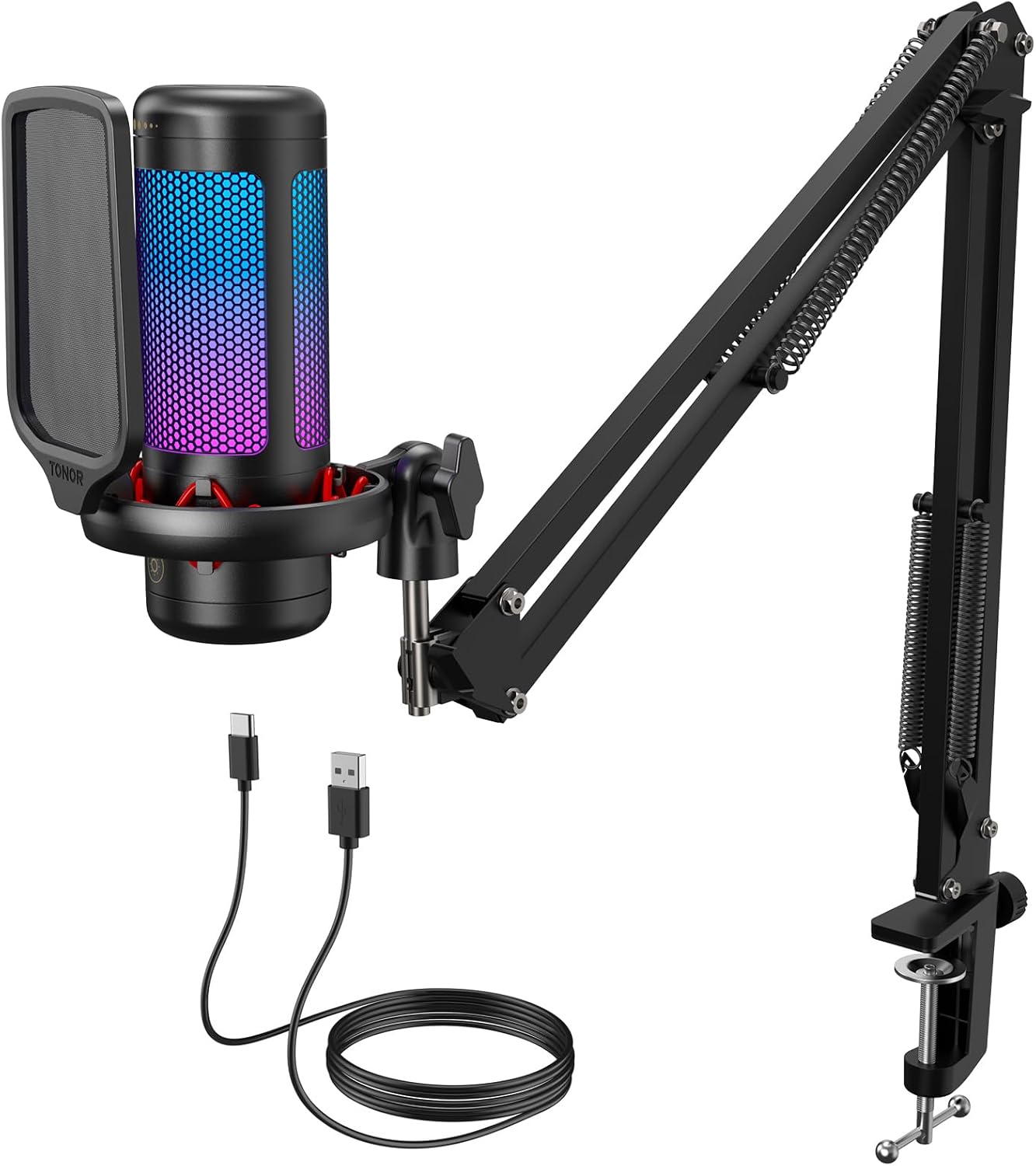
7TONOR Gaming Microphone Set with Boom Arm
The TONOR TC310+ stands out because it is sold as a complete kit. The listing describes a USB condenser microphone for PC that arrives with a metal boom arm and clamp. For a new streamer, that removes one shopping decision, and it explains why the set takes the complete kit award. For many beginners, the bundled arm is as valuable as the mic itself, and it saves a separate shopping trip.
The listing says the arm clamp fits desks up to 2.36 inches thick and has multiple adjustable joints for finding the right angle around a monitor. RGB lighting offers four modes: static colors, a single-color gradient, breathing and a mixed-color gradient, with brightness control by a long tap. Tapping the top of the mic mutes it, and rotating the top adjusts gain. Together these touches make the set feel designed for a streamer who wants a quick, tidy desk setup.
This kit fits gamers who want a streaming corner without buying parts separately. Getting the mic off the desk and in front of the mouth is one of the biggest steps toward clearer audio, and the boom arm does that. Chat with teammates, Twitch sessions and casual recording are the intended uses, and the lighting makes the setup look finished. It also suits parents buying a first creator gift, since the box holds most of what a beginner needs.
The product name shows a generic gaming equipment style, so judge it as an entry level set and expect modest extras. The listing recommends a USB 2.0 or 3.0 port with the Type-C connector fully seated, which is a useful tip. Check your desk thickness before ordering. Tighten the arm joints carefully so the mic does not sag during long sessions. Finally, give it a careful read of the product page so you know what comes in the box.
Mic and boom arm in one set
Four RGB light modes
Tap to mute on top
Clamp suits many desks
Clamp has a thickness limit
Entry level feature set
8ZealSound Podcast Microphone for PC
The ZealSound K66 is a USB podcast microphone with a very wide list of supported devices, which is why it wins the award for phones and consoles. The listing names Windows PC, Mac, laptops, PS4, PS5, tablets, iPhone, iPad and Android. Included USB-C and Lightning cables are mentioned, so many people can connect it without extra adapters. That breadth makes it a handy choice for shared and mobile setups, especially where one mic must serve several devices.
A condenser capsule with a cardioid pattern is described, and a Noise Reduction Mode is switched on by pressing and holding the mute button, shown by a blue indicator. Dedicated knobs adjust microphone volume, monitoring volume and echo. A built-in 3.5mm headphone jack provides zero-latency monitoring, and an instant mute button comes with a red LED indicator. Having these controls on the body means you can adjust levels by feel while you are in the middle of a session.
Creators who move between a laptop, a tablet and a phone will find the connection options helpful. It also fits gamers who stream from a console, plus students joining online classes or Discord calls. Setup needs no drivers or apps according to the listing, which keeps the learning curve low for people who only want to plug in and speak. Remote workers who attend calls from several devices are another group it could serve well.
Noise reduction modes can make a voice sound a little processed, so compare both settings before you go live. A phone connection may need a stable stand because the mic can be knocked easily. The echo knob is for fun effects, and most streamers will leave it low. Check the exact adapter you need before buying for a specific device. As always, keep your monitoring level moderate when using the headphone jack for long periods.
Phone, tablet and console support
Noise Reduction Mode
Gain, monitor and echo knobs
Zero-latency headphone jack
Noise reduction may color the voice
Lesser known brand
9Amazon Basics Condenser Microphone for PC
The Amazon Basics Condenser Microphone for PC is the simplest option here, and that simplicity is its appeal. It is a USB condenser with a cardioid pickup pattern, a 14mm diaphragm and a stand that rotates 360 degrees. It earns the value basic award because it covers the main needs of a new streamer without extra features to learn. It is a sensible entry point for anyone unsure how deep they want to go into audio.
The listing describes a large diaphragm for high sensitivity, low noise and low distortion. A cardioid pattern focuses on the front of the mic to reduce background pickup. A one tap silent mode syncs with the computer, and a built-in shock absorber with a silicone rubber boot helps with stability. It needs no additional drivers and detaches for use on tripods or boom arms with a 5/8 inch thread. Because it avoids complicated menus, it is easy to set up and quick to pack away.
This mic suits students, remote workers and new streamers who want a clear step up from a laptop microphone. Online meetings, podcasting and solo vocals fall within its stated uses. The standard thread means it can grow with the setup if you add an arm later. Compatibility is listed for Windows 7 or later and Mac OS 10.10 or later. Newcomers with a small budget can start here and upgrade later, keeping the arm or stand if they choose.
Expect a basic feature list with no gain dial or headphone jack mentioned in the data, so monitoring happens through your computer. The compact stand can pick up desk thumps, which a boom arm would fix. Keep your mouth a hand width or two from the capsule. Think of it as a dependable starter that you might outgrow. If you want more controls or a headphone jack, look at the more feature rich models in this guide.
Simple plug and play
One tap mute
Standard 5/8 inch thread
Rotating stand
No headphone jack listed
Few controls on the body
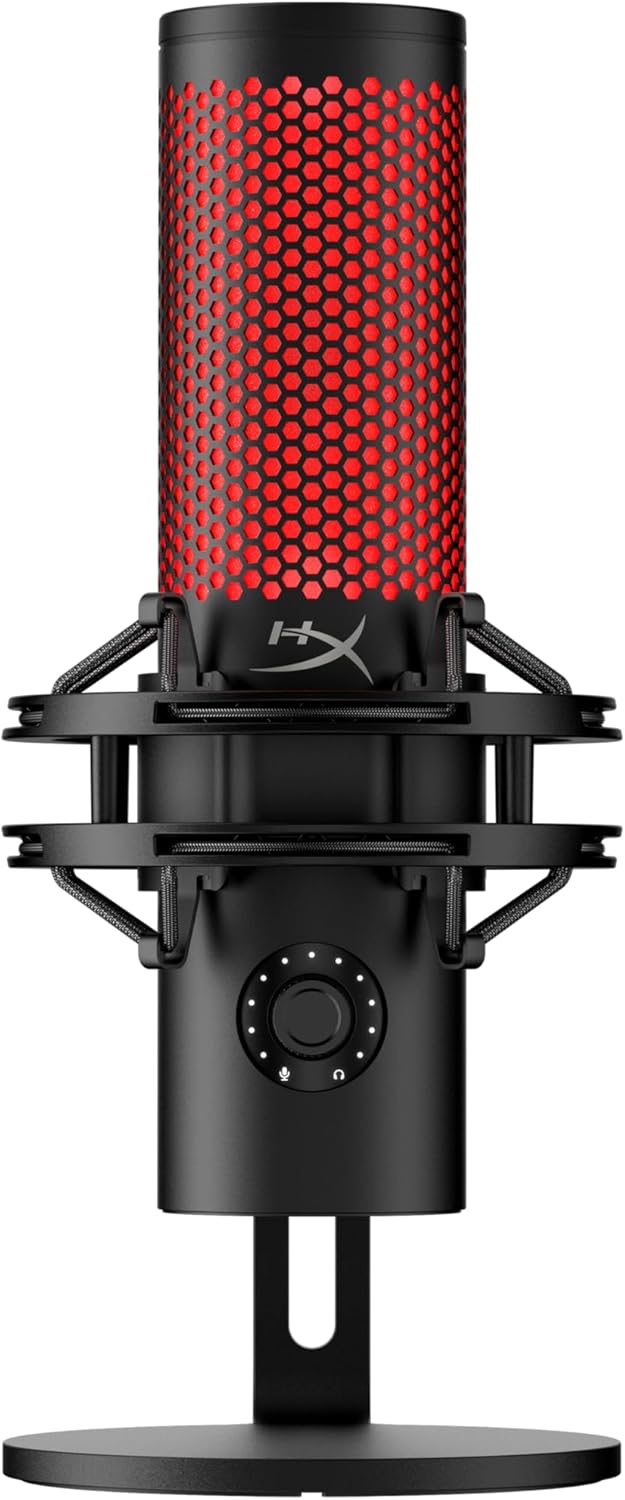
10HyperX QuadCast 2
The HyperX QuadCast 2 is the standard model of the family, and the listing says it is built for gaming, streaming and podcasting. It works with PC, Mac, PS5 and PS4 over USB-C, which gives it the console streaming award. It sits just below the S version because that sibling adds the fully described aRGB and pattern details. It is a practical way into the QuadCast family for people who want the core features.
Listed specs include a wired connection, a 9.84 foot cable, stereo sound mode and a frequency response from 20 Hz to 20 kHz, which covers the full range of human hearing. On-board controls, LED lighting and a removable shock mount are also named. The shock mount helps keep desk bumps from reaching the capsule, and the cable gives room to place the mic away from the computer. Together these details point to a mic that is designed to sit on a gaming desk without much fuss.
Console players who want to chat and stream without a PC will find the PS5 and PS4 support helpful. Podcasters and creators who prefer to keep things simple can also use it. The cable length allows flexible placement on a larger desk, and the lighting suits setups where the mic is visible. It is a strong all-round pick for gamers. It also works for voice chat during long sessions, thanks to the on-board controls that sit within easy reach.
The listing gives fewer details about pickup patterns and software than the S model, so read the full product page before buying if that matters. Keep the mic close to your mouth and use a pop filter to soften harsh sounds. Avoid placing it near speakers to prevent feedback. The Frost version is a separate color listing of the same family. As a rule, double check the full specification list before ordering, since details differ between family members.
PC, Mac, PS5 and PS4
9.84 ft cable
Removable shock mount
On-board controls
Fewer details in the listing
Lighting is a bonus, not a sound upgrade
How to Choose the Best Microphones For Streaming
USB or XLR: which connection should you choose?
USB microphones plug into a computer and carry their own converter, so they are the easiest route for most streamers. You connect one cable, pick the device in your streaming software and start talking. Models such as the Elgato Wave:3 MK.2 and the HyperX QuadCast 2 S follow this approach. Think of USB as the quick start and XLR as the path to a more custom studio.
XLR microphones send an analog signal to an audio interface or mixer, which gives more control and room to upgrade. The Shure SM7B is a pure XLR design, while the Shure MV7+ offers both. Choose USB if you want speed and simplicity, and choose XLR if you plan to build a longer audio chain over time. Either route can sound good, so pick the one that matches your patience for setup.
Dynamic or condenser: what changes for streaming?
Dynamic microphones are generally less sensitive, so they pick up less of the room behind and around you. That helps in bedrooms with fans, keyboards and echo. The Shure MV7+, MV6 Gen 2 and SM7B use dynamic capsules, and they work best when placed close to the mouth. Neither type is better in every case, because the room and your habits decide the result.
Condenser microphones are more sensitive and tend to capture finer detail, but they also hear more of the room. The Blue Yeti, Wave:3 MK.2, TONOR TC310+ and the Amazon Basics model use condenser designs. In a quiet room they can sound open and clear, and in a noisy one they may need a lower gain or a closer position. Trying to match the microphone to the space is more useful than chasing a famous name.
Pickup patterns explained
The pickup pattern describes where a microphone listens. Cardioid focuses on the front and rejects much of the back, which is ideal for one person at a desk. Most picks in this guide offer cardioid, and many streamers never need to change it. Start with cardioid and only switch patterns when your recording situation really changes, such as adding a guest.
Some models add omnidirectional, bi-directional and stereo options. The Blue Yeti and HyperX QuadCast 2 S list all four. Bi-directional suits a two person interview across a table, omni captures a room for group chats and stereo is useful for music or ambient recording. Wider patterns pick up more noise, so use them in a quiet space. Always listen back after changing a pattern, since the sound can shift more than you expect.
Why placement matters more than price
Distance from your mouth shapes your sound more than almost any setting. A microphone placed too far away picks up more room echo and sounds thin. A good starting point is a hand width or two from the capsule, slightly off to the side to reduce harsh breath sounds. This is why beginners often hear a big jump after adding a simple arm.
A boom arm makes this easy because it holds the mic where you want it and keeps it off the desk. It also reduces vibration from keyboard and mouse use. Even a basic mic can sound better when it is positioned well, and a premium mic placed badly can still sound distant. Small changes in position, even a few centimeters, can change tone and background noise.
Onboard controls and why they help
Controls on the microphone body save time during a live stream. A mute button or tap-to-mute sensor lets you silence yourself quickly, and a gain dial lets you adjust level without opening software. Several listings, such as the Wave:3 MK.2, MV7+ and QuadCast 2 S, highlight these features. These small features add up to a calmer streaming experience with fewer mistakes.
A headphone jack for direct monitoring is another useful feature. It lets you hear your own voice with no delay, which helps you speak naturally and catch problems. Look for a clear light that shows when you are muted so you can see your status at a glance, especially on busy scenes. When comparing models, count the controls you will actually touch, not the total on the box.
Noise reduction and automatic level tools
Some microphones apply digital processing to clean up the signal. The Shure MV7+ and MV6 Gen 2 list real-time denoisers and Auto Level Mode, while the ZealSound K66 lists a Noise Reduction Mode. These tools can reduce fan noise and keep volume steady as you move or change how loud you speak. Think of these tools as a safety net for moments when your room or your voice changes.
Processing is helpful, but it works best as a support for good habits, not a replacement. Heavy noise reduction can make a voice sound slightly artificial. Try the settings with headphones, speak at a normal stream volume and adjust until your voice sounds natural. Quiet rooms need less processing. Keep a simple preset you trust and avoid pushing every slider to the maximum.
Shock mounts, stands and boom arms
A microphone stand holds the mic at your desk, while a shock mount isolates it from vibration. The HyperX QuadCast 2 family lists a removable shock mount, and the QuadCast 2 S names both 3/8 and 5/8 inch threading for flexible mounting. The Amazon Basics microphone lists a 5/8 inch thread for booms and tripods. Good support for the mic body saves effort when you move gear around.
A boom arm is the most useful accessory for most streamers. It lifts the mic off the desk, helps with positioning and cuts down on thumps. The TONOR TC310+ includes one in the kit. If you buy a mic without an arm, confirm the thread size before picking a mount. A stable mount also protects the capsule from knocks and long term wear on the desk.
Software, apps and effects
Many modern microphones pair with an app. The Elgato Wave Link software handles routing, effects and monitoring, while Shure offers the MOTIV Mix apps for the MV6. Blue VO!CE software adds vocal effects for the Yeti. These tools let you adjust EQ, compression and monitor mix. Spend an evening learning the app once and the benefit will last for every future stream.
Apps are optional for some mics and central for others. A model that needs no drivers, such as the ZealSound K66 according to the listing, is quicker to set up. If you enjoy fine tuning, software gives more control, but if you want to plug in and talk, pick a mic that sounds good on default settings. If settings overwhelm you, save a basic profile and only adjust one control at a time.
Console, phone and PC compatibility
Check device support before you buy. Some listings name PC and Mac only, while others add PS4, PS5, tablets or phones. The HyperX QuadCast 2 lists PS5 and PS4, and the ZealSound K66 lists a broad set including iPhone, iPad and Android with included cables. This is the most common source of returns, so a quick read of the listing pays off.
XLR microphones do not connect directly to consoles or phones, so they need an interface first. If you stream from a console, a USB model with listed console support is the simplest route. Always read the compatibility line on the product page because adapters and cables vary by listing. When in doubt, choose the model whose listing clearly names your device.
Lighting and desk looks
RGB lighting has become a normal part of streaming setups. The HyperX QuadCast 2 S lists more than 100 individually customizable aRGB LEDs, and the TONOR TC310+ offers four lighting modes. Some listings also use light as a mute indicator, which is practical as well as stylish. Style is personal, so choose the look that matches your room and your channel.
Lighting does not change how a microphone sounds, so weigh it as a bonus. If your mic will appear on camera, a clean design or matching colors can improve your scene. If the mic stays out of frame, spend your budget on pickup quality, controls and placement instead. Remember that bright lights can also distract on camera, so use them with care.
Safe listening and monitoring volume
When you monitor your own voice through headphones, keep the volume at a comfortable level. Loud monitoring for long sessions is unwise, and it also encourages you to speak too quietly or too loudly. Start low, raise it slowly and take breaks during long streams. Good habits here protect your comfort over many hours of streaming, and they cost nothing to adopt.
Direct monitoring helps because you hear your voice without delay, so you can keep the level moderate. Balance game audio, chat and your own voice so that nothing needs to be loud. If you feel discomfort or ringing, stop and lower the volume. Make it a routine to check your volume before you go live, not halfway through, and keep a little distance between breaks.
How to choose the right microphone for you
Start with your room and budget. A noisy room points toward a dynamic model like the Shure MV7+ or MV6 Gen 2. A quiet room opens the door to condensers such as the Wave:3 MK.2 or Blue Yeti. Console players should check the supported device list first. Write down your top two needs, such as noise control and easy setup, and let them guide you.
Then think about growth. If you may add an interface later, choose a mic with XLR. If you want everything in one box, a kit like the TONOR TC310+ saves effort. Beginners can start with a simple USB mic and focus on placement and gain, which improve sound at every level. A good match that you understand beats an advanced mic that you never fully use.
Frequently Asked Questions
What is the best microphone for streaming overall?
In this guide the Shure MV7+ leads because it combines USB-C and XLR, offers Auto Level Mode and has a touch panel for control. It suits both beginners and creators who plan to upgrade to an interface later.
Do I need an audio interface for a streaming microphone?
Not for USB models, which plug directly into your computer. XLR microphones such as the Shure SM7B need an audio interface or mixer. The Shure MV7+ offers both, so it works either way.
Is a dynamic or condenser microphone better for streaming?
Dynamic models usually reject more room noise and suit untreated rooms. Condensers capture more detail but also pick up more background sound. Choose based on how quiet your space is and how close you sit.
Which microphone is easiest for beginners?
The Shure MV6 Gen 2 is aimed at first-time streamers and comes with a desktop stand and USB-C cable. The Amazon Basics condenser is another simple plug and play option with a basic feature list.
Can I use these microphones with a PlayStation?
Some listings name console support. The HyperX QuadCast 2 lists PS5 and PS4, and the ZealSound K66 lists PS4 and PS5. Always confirm on the product page, since many USB mics list PC and Mac only.
Do I need a boom arm?
It is not required, but a boom arm helps with placement and reduces desk vibration. The TONOR TC310+ includes one in the kit. For other mics, check the thread size before buying a mount.
What does a cardioid pickup pattern mean?
Cardioid means the microphone focuses on sound in front of it and rejects much of what comes from behind. It is the usual choice for solo streaming because it reduces room and keyboard noise.
Are noise reduction features worth using?
They can help in noisy rooms by reducing fan sound and background hiss. Heavy settings may make your voice sound processed, so adjust them while listening on headphones and choose the most natural setting.
Why is my voice too quiet or too loud?
Gain and distance are usually the cause. Move the mic closer, then adjust the gain knob until peaks stay in a healthy range. Auto Level and anti-distortion features can help but still need sensible placement.
Do prices change on these microphones?
Yes, prices and bundles change often, so this guide does not quote numbers. We link to live listings, where you can check the current offer, available colors and what is included in the box.
The Bottom Line
The right microphone depends on your space and goals, but the Shure MV7+ is the safest all-round choice for most streamers. It starts simply over USB-C and leaves room for an interface later, with helpful tools such as Auto Level Mode and a clear touch panel.
If you want a different path, the Elgato Wave:3 MK.2 shines for voice processing, the Shure MV6 Gen 2 is gentle on beginners and the HyperX QuadCast 2 S brings style. Check the live listings for current availability and bundle details before you buy.
Updated for the 2027 buying season. Amazon listings and availability change often, so check the product page for current details.
Write Your Review
No reviews yet. Be the first to share your experience!